Table of Contents
- Why VSI Troubleshooting Needs a System
- Problem 1: VSI Crusher Vibration Is Too High
- Problem 2: Capacity Is Lower Than Expected
- Problem 3: Wear Parts Are Consumed Too Fast
- Problem 4: Too Much Fine Powder
- Problem 5: Aggregate Shape Is Still Poor
- Problem 6: Material Blocks the Feed Tube or Chamber
- Problem 7: Bearing Temperature Is Too High
- Problem 8: Product Gradation Is Unstable
- Quick Troubleshooting Table
- Maintenance Checks Before Restart
- What Information Should You Send for Troubleshooting Support?
- Conclusion
- FAQ
- Why is my VSI crusher vibrating?
- Why is my VSI crusher capacity low?
- Why do VSI wear parts wear out quickly?
- How can I reduce fine powder from a VSI crusher?
- Why is the VSI product shape still poor?
- What should I check if the VSI bearing is hot?
- How often should I inspect a VSI crusher?
- What information should I provide for VSI troubleshooting?
Common VSI crusher problems include abnormal vibration, low capacity, fast wear, too much fine powder, poor aggregate shape, blockage, bearing overheating, and unusual noise. In most cases, the root cause is not one single part. It is usually a combination of oversized feed, unstable feeding, worn rotor tips, poor screen efficiency, wrong rotor speed, incorrect chamber type, or delayed maintenance. The best troubleshooting method is to stop safely, check the feed and wear parts first, then inspect the rotor balance, screen return load, lubrication, motor current, and final product grading.
This guide gives quarry operators and maintenance teams a practical way to diagnose VSI crusher problems before they become expensive shutdowns.
Why VSI Troubleshooting Needs a System
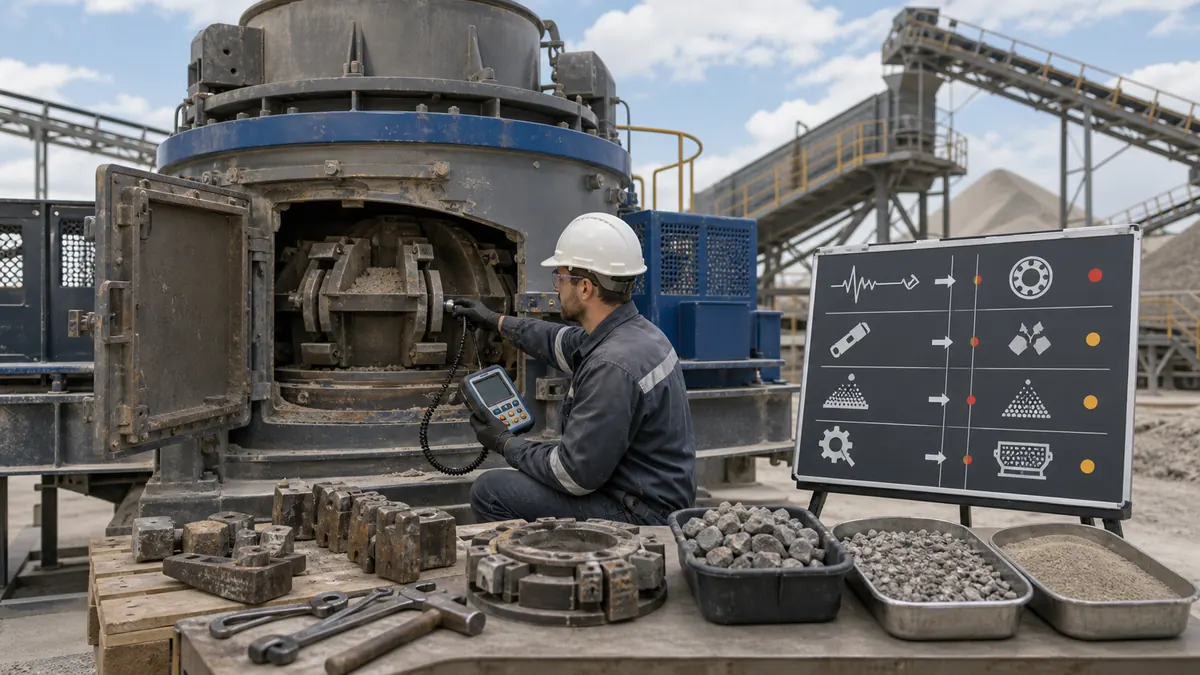
A VSI crusher works at high speed. Small changes in feed size, rotor balance, wear part condition, or screen return load can quickly affect vibration, capacity, sand shape, and wear cost. If operators only replace parts without finding the root cause, the same problem may return within a few shifts.
Good troubleshooting should stop the machine safely before inspection, check simple causes before complex causes, and record settings, wear hours, motor current, vibration, feed size, and product grading.
Problem 1: VSI Crusher Vibration Is Too High
High vibration is one of the most serious VSI crusher problems. It can damage bearings, rotor parts, foundations, and electrical components if ignored.
Common causes include uneven rotor wear, broken or loose rotor tips, material buildup inside the rotor, oversized feed, foreign metal in the chamber, loose bolts or liner parts, poor foundation, bearing damage, and rotor imbalance after parts replacement.
- Stop the machine and lock out power.
- Remove trapped material and check for metal objects.
- Inspect rotor tips, backup tips, wear plates, bolts, and liners.
- Replace worn parts in balanced sets.
- Check whether feed size exceeds the VSI limit.
- Restart only after confirming rotor balance and bolt tightness.
If vibration appears immediately after replacing wear parts, check installation symmetry and part weight balance first.
Problem 2: Capacity Is Lower Than Expected
Low capacity may be caused by the VSI itself, but it is often caused by upstream or downstream equipment. Common causes include insufficient feed, wet or sticky material, oversized feed, low rotor speed, blocked feed tube, blocked screen mesh, overloaded return conveyor, narrow product conveyor, and excessive recirculating load.
Check actual feed rate, inspect feed size distribution, clean blocked screen mesh and transfer points, check rotor speed and motor current, reduce moisture or clay before the VSI if possible, and confirm that screen and conveyors can handle the target TPH.
For capacity selection, see VSI Crusher Capacity Guide: 50 TPH to 500 TPH Sand Production.
Problem 3: Wear Parts Are Consumed Too Fast
Fast wear increases operating cost and can expose the rotor body to damage. Wear rate depends heavily on material abrasiveness, feed size, rotor speed, and chamber type.
Common causes include hard and abrasive rock, feed size too large, rotor speed too high, wrong chamber type, poor-quality wear parts, uneven feed, excessive screen return load, and delayed replacement of rotor tips or liners.
Use suitable wear material, keep feed size within the recommended range, reduce rotor speed if fine powder and wear are both too high, use rock-on-rock chamber for abrasive hard rock when suitable, and keep a spare parts plan for rotor tips, liners, feed tube, and distributor plate.
For deeper wear part guidance, read VSI Crusher Wear Parts: Rotor Tips, Anvils, Liners, and Maintenance.
Problem 4: Too Much Fine Powder
Too much fine powder can reduce product value, increase washing load, and cause concrete or asphalt mix problems. Common causes include high rotor speed, fine feed, soft or brittle material, small screen mesh, too much recirculation, aggressive chamber design, or unmatched washing and air classification.
Test feed grading before the VSI, reduce rotor speed gradually, remove excess fines before the VSI if practical, adjust screen mesh and return load, consider air classification or washing, and check whether the specification is realistic for the material.
Problem 5: Aggregate Shape Is Still Poor

Poor shape may mean the VSI is not receiving suitable feed or is not operating with enough shaping energy. Causes include oversized or inconsistent feed, low rotor speed, high cascade feed, open circuit operation, wrong chamber type, worn rotor tips or anvils, poor screening, and flaky material from the upstream crusher.
Control VSI feed size with a screen before the crusher, increase rotor speed carefully if wear and power allow, adjust cascade feed ratio, use closed circuit screening, replace worn parts, and test flakiness index regularly.
For shape improvement methods, read How to Improve Cubical Shape in Manufactured Sand with a VSI Crusher.
Problem 6: Material Blocks the Feed Tube or Chamber
Blockage can stop production and may create unsafe clearing work if operators rush. Common causes include wet or sticky material, clay in feed, oversized feed, irregular feed rate, feed tube wear or misalignment, downstream blockage, and too much material entering during startup.
Keep feed dry, remove clay if possible, stabilize feed rate with a feeder, avoid starting the VSI under a full material load, check feed tube and distributor plate condition, clear downstream conveyors and screens, and install metal removal and oversize protection when needed.
Problem 7: Bearing Temperature Is Too High
High bearing temperature may be caused by incorrect lubricant, insufficient or excessive lubrication, dust contamination, high vibration, rotor imbalance, overloaded motor, bearing wear, or poor cooling.
Check lubricant type and maintenance interval, inspect seals and dust protection, check vibration and rotor balance, confirm motor current is normal, clean cooling paths, and replace damaged bearings before secondary damage occurs.
Problem 8: Product Gradation Is Unstable
Unstable gradation makes it difficult to sell consistent manufactured sand or aggregate. Causes include changing feed grading, blocked or worn screen mesh, rotor speed changes, wear parts changing the crushing path, fluctuating return load, moisture changes, and mixed stockpiles.
Keep feed from a consistent stockpile, inspect screen mesh, record rotor speed and motor current, replace wear parts before severe geometry change, separate final products cleanly, and test sieve analysis at regular intervals.
Quick Troubleshooting Table
| Symptom | Likely Causes | First Checks |
|---|---|---|
| High vibration | Rotor imbalance, loose parts, oversized feed, bearing issue | Stop safely, inspect rotor, bolts, feed size, and bearings |
| Low capacity | Poor feed, blocked screen, low speed, overloaded return | Check feed rate, screen, conveyors, motor current |
| Fast wear | Abrasive rock, high speed, wrong chamber, oversized feed | Check material, rotor speed, chamber type, wear parts |
| Too much powder | High speed, soft rock, high recirculation, fine feed | Check feed grading, speed, screen mesh, return load |
| Poor shape | Low shaping energy, worn parts, open circuit, wrong chamber | Check speed, chamber, wear parts, screen return |
| Blockage | Wet sticky feed, clay, oversize, downstream restriction | Check moisture, feed tube, screen, conveyors |
| Bearing heat | Lubrication, dust, vibration, overload, bearing wear | Check lubricant, seals, vibration, current, cooling |
| Unstable grading | Feed changes, worn screen, return fluctuation | Check feed stockpile, sieve test, screen condition |
Maintenance Checks Before Restart

Before restarting after a fault, check rotor tips, backup tips, feed tube, distributor plate, chamber liners, anvils, bolt tightness, rotor balance, bearing temperature, lubrication, motor current, screen mesh, return conveyor load, product grading, and powder content.
Do not restart only because the crusher can rotate. Restart when the root cause has been inspected and the operating team knows what to watch during the first 30 minutes.
What Information Should You Send for Troubleshooting Support?
If you need help diagnosing a VSI crusher problem, send VSI model and motor power, raw material name and photos, feed size, output size, actual and target capacity, rotor speed, chamber type, photos of worn parts, vibration or temperature readings, screen mesh size, return load, site photos or video, and recent maintenance history.
With this information, MVSI can help identify the likely cause and recommend a practical adjustment or parts plan.
Conclusion
Most VSI crusher problems can be solved faster when operators check the whole crushing circuit instead of blaming one component. High vibration, low capacity, fast wear, too much powder, poor shape, blockage, bearing heat, and unstable grading are usually connected to feed control, rotor condition, screen efficiency, chamber type, lubrication, and maintenance timing.
If your VSI sand making plant is not running steadily, send your raw material, feed size, output size, capacity, site photos, problem symptoms, and budget range. MVSI can help review the process and recommend practical troubleshooting steps.
FAQ
Why is my VSI crusher vibrating?
High vibration is often caused by rotor imbalance, uneven wear, loose bolts, oversized feed, trapped metal, material buildup, bearing problems, or incorrect wear part installation.
Why is my VSI crusher capacity low?
Low capacity may come from insufficient upstream feed, oversized feed, blocked screen mesh, low rotor speed, wet material, overloaded return conveyors, or downstream bottlenecks.
Why do VSI wear parts wear out quickly?
Fast wear is usually caused by abrasive rock, oversized feed, high rotor speed, wrong chamber type, poor-quality wear parts, or too much recirculating load.
How can I reduce fine powder from a VSI crusher?
Check feed grading, reduce rotor speed if suitable, adjust screen mesh, control return load, remove excess fines before the VSI, and consider washing or air classification.
Why is the VSI product shape still poor?
Poor shape may be caused by low rotor speed, oversized feed, worn rotor tips, open circuit operation, wrong chamber type, or poor screening that allows bad particles to pass.
What should I check if the VSI bearing is hot?
Check lubricant type and amount, seals, dust contamination, vibration, rotor balance, motor current, cooling airflow, and bearing condition.
How often should I inspect a VSI crusher?
Daily checks should include vibration, noise, motor current, bearing temperature, feed condition, and visible wear. Wear parts and screen condition should be checked on a planned schedule based on operating hours.
What information should I provide for VSI troubleshooting?
Send the VSI model, material, feed size, output size, capacity, rotor speed, chamber type, photos of worn parts, vibration or temperature readings, screen details, and site photos or video.